
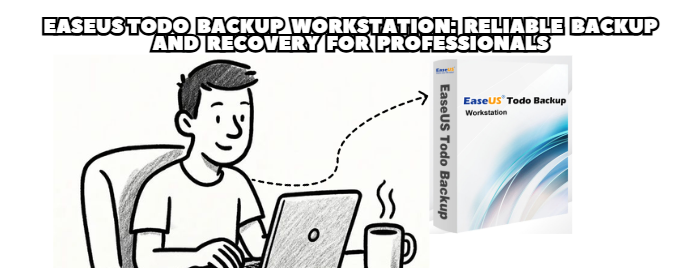
In today’s fast-paced digital world, data loss is no longer just an inconvenience — it can mean losing critical business information, personal records, or entire project histories.
That’s where EaseUS Todo Backup Workstation steps in — a professional-grade backup and recovery software designed to protect important data with efficiency, flexibility, and reliability.
Whether you are an IT professional, a small business owner, or an everyday computer user who values data security, this tool provides an all-in-one solution to ensure that your system and files remain safe at all times.
EaseUS Todo Backup Workstation is a powerful data protection software built specifically for professionals who require secure, automated, and customizable backup solutions.
Unlike standard backup tools, this version supports system imaging, disk cloning, file backup, and recovery management, making it ideal for both home and office use.
It is compatible with Windows 7, 8, 10, and 11, and offers enhanced support for UEFI boot, GPT disks, and modern SSD technology.
Full System Backup and Restore
Create complete images of your operating system, including applications, drivers, and settings.
Restore your system in minutes after crashes, hardware failures, or malware attacks.
Disk and Partition Backup
Back up entire disks or specific partitions selectively.
Perfect for those managing multiple drives or server environments.
File and Folder Backup
Choose only the files or folders you need, saving time and storage space.
Supports local, external, NAS, and cloud backups.
Incremental and Differential Backup
Only new or modified data gets backed up after the first full backup — saving both time and disk space.
Clone and Migration Tools
Effortlessly migrate your OS or data from HDD to SSD without reinstalling Windows.
Ideal for system upgrades or hardware replacements.
Automatic Backup Scheduling
Set daily, weekly, or monthly automatic backups.
Runs silently in the background without interrupting your workflow.
Cloud Integration
Supports major cloud services such as Google Drive, OneDrive, and Dropbox.
Offers remote access to backups anytime, anywhere.
Business Continuity: Prevent downtime by instantly restoring critical data and configurations.
Efficiency: The automation tools reduce manual backup work and human error.
Flexibility: Works for both individual PCs and multi-device office setups.
Security: AES-256 encryption ensures that backups remain protected from unauthorized access.
For IT professionals, it’s also an excellent solution for disaster recovery planning, allowing system images to be deployed quickly across different devices.
EaseUS Todo Backup Workstation has a clean, intuitive interface that even non-technical users can navigate.
With clear options like Backup, Clone, and Recovery, users can execute complex tasks in just a few clicks.
Its backup manager gives detailed progress tracking and automatic verification to ensure data integrity after every operation.
The Workstation edition comes as an Original License Key, typically valid for one device per license, with lifetime upgrades available in higher plans.
Users can easily activate their product online, unlocking premium features such as unlimited backup sizes, priority technical support, and advanced recovery modes.
Fast, reliable system imaging
Flexible backup schedules
Supports both local and cloud storage
Secure AES-256 encryption
Excellent restore speed
Ideal for business continuity and personal data safety
Windows-only (macOS not supported)
Cloud backup features limited to certain plans
Interface may appear too simple for enterprise IT teams
Some advanced tools (like centralized management) require higher-tier versions
Small Business Owners: To ensure business data and project files are always safe.
IT Technicians: For system imaging, migration, and disaster recovery.
Freelancers and Professionals: To prevent work interruption from system crashes.
Home Users: To protect family photos, personal files, and documents effortlessly.
EaseUS Todo Backup Workstation is an outstanding and affordable solution for those seeking professional-level data protection without complexity.
Its combination of speed, automation, and reliability makes it a must-have for users who handle important files or manage multiple workstations.
In short, if you value your data, this application provides peace of mind — ensuring that no matter what happens, your system and files are just one click away from full recovery.