
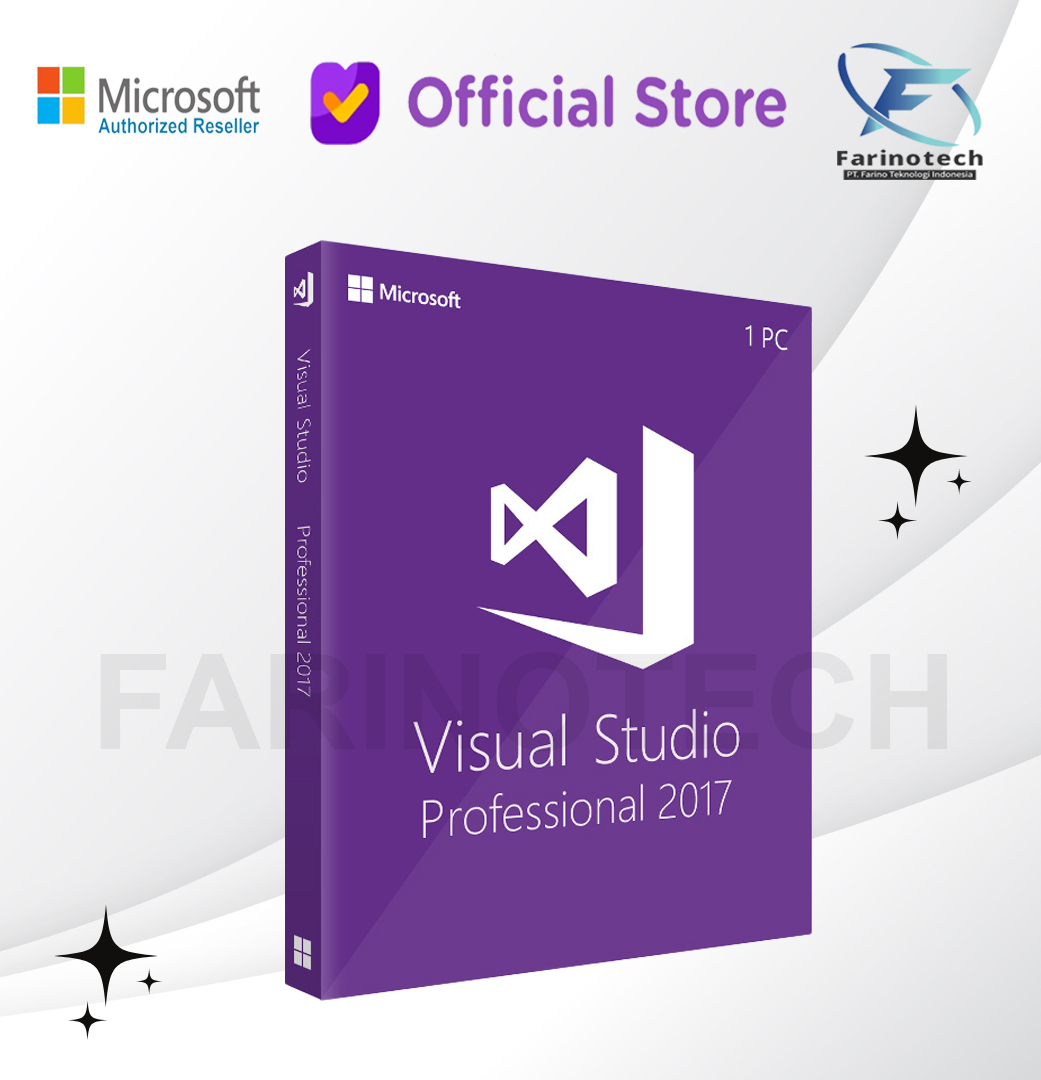
Microsoft Visual Studio 2017 Professional
Rp4.062.800
Microsoft Visual Studio 2017 Professional is a powerful integrated development environment (IDE) designed for professional developers who build, debug, and deploy modern applications across multiple platforms
Alasan berbelanja di Farinotech Store
- Pesanan sebelum jam 2 siang akan diproses dihari yang sama
- Authorized Distributor Reseller Resmi Indonesia
- Untuk Produk Lisensi Digital, bisa langsung dikirim ke email di hari yang sama, dan tidak ada pengiriman fisik
Description
Reviews (0)
Description
Microsoft Visual Studio 2017 Professional is a powerful integrated development environment (IDE) designed for professional developers who build, debug, and deploy modern applications across multiple platforms. It provides advanced tools for coding, testing, collaboration, and application lifecycle management.
This page explains features, benefits, system requirements, licensing, and use cases of Visual Studio 2017 Professional in a clear and SEO-friendly way.
📌 What Is Microsoft Visual Studio 2017 Professional?
Visual Studio 2017 Professional is a full-featured development platform used to create:
-
Desktop applications (Windows)
-
Web applications and services
-
Mobile apps
-
Cloud-based solutions
-
APIs and enterprise software
It supports multiple programming languages including:
-
C#
-
C++
-
Visual Basic
-
JavaScript
-
Python
-
.NET Framework and .NET Core
⭐ Key Features of Visual Studio 2017 Professional
🔹 Advanced Code Editor
-
Intelligent code completion (IntelliSense)
-
Syntax highlighting
-
Refactoring tools
-
Code navigation
🔹 Powerful Debugging Tools
-
Breakpoints and watch windows
-
Step-through execution
-
Variable inspection
-
Exception handling
🔹 Built-In Testing
-
Unit testing framework
-
Automated test execution
-
Code coverage analysis
🔹 Version Control Integration
-
Git integration
-
Team Foundation Version Control (TFVC)
-
Collaboration with development teams
🔹 Cloud & DevOps Support
-
Azure integration
-
Continuous integration (CI)
-
Deployment pipelines
💼 Benefits of Visual Studio 2017 Professional
✔ Faster application development
✔ Higher code quality
✔ Reduced debugging time
✔ Improved team collaboration
✔ Enterprise-ready tools
✔ Scalable for small and large projects
🖥 System Requirements (Minimum)
-
Operating System: Windows 7 SP1 / Windows 8.1 / Windows 10
-
RAM: 4 GB (8 GB recommended)
-
Storage: Minimum 20 GB free space
-
Processor: 1.8 GHz or faster
-
Display: 1280 × 720 resolution
🔑 Licensing Information
Visual Studio 2017 Professional uses a per-user license model, meaning:
-
One licensed user can install it on multiple devices
-
Suitable for professional developers
-
Perpetual license (one-time purchase, not subscription)
-
Includes access to core development tools
🏢 Who Should Use Visual Studio 2017 Professional?
Ideal for:
-
Web developers
-
Application engineers
-
IT professionals
-
Development teams
-
System integrators
-
Enterprise IT departments
📊 Visual Studio 2017 Professional vs Community Edition
| Feature | Professional | Community |
|---|---|---|
| Commercial use | ✔ Yes | Limited |
| Team collaboration | ✔ Full | Limited |
| Debugging tools | Advanced | Basic |
| Enterprise tools | ✔ Yes | No |
| Licensing | Paid | Free (restrictions) |
❓ Frequently Asked Questions (FAQ)
Is Visual Studio 2017 Professional still usable today?
Yes. It remains a stable IDE for legacy and maintained applications built on older .NET frameworks.
Is it suitable for enterprise projects?
Yes. It supports enterprise development, version control, and testing tools.
Can I use it for web development?
Yes. It supports ASP.NET, JavaScript, HTML, CSS, and backend services.
Is the license permanent?
Yes. Visual Studio 2017 Professional is a perpetual license.
Conclusion
Microsoft Visual Studio 2017 Professional is a reliable and professional-grade IDE designed for developers who need powerful tools, debugging features, and team collaboration capabilities. It remains a strong choice for maintaining and developing business applications, especially in enterprise and legacy environments.
PT Farino Teknologi Indonesia (Farinotech) is Partner Autorized Reseller Resmi Microsoft Indonesia
For official Request For Quotation (RFQ), please send email to inquiry@farinotech.com
Reviews (0)
Leave a Reply
You must be logged in to post a comment.
You also like
 Select options
This product has multiple variants. The options may be chosen on the product page
Select options
This product has multiple variants. The options may be chosen on the product page
Microsoft Office 365 Family Original 5 Device
Starting: Rp181.500 Select options This product has multiple variants. The options may be chosen on the product page
Windows 10 Enterprise LTSC 2021 Original License Key
Original price was: Rp1.525.000.Rp1.350.000Current price is: Rp1.350.000. Add to cart
Windows 10 Pro License Key
Original price was: Rp1.280.000.Rp279.500Current price is: Rp279.500. Add to cart
Windows Server 2022 Standard Datacenter Original License Key Lifetime
Starting: Rp582.400 Select options This product has multiple variants. The options may be chosen on the product page
Windows Server 2025 Standard Datacenter Original License Key
Starting: Rp461.500 Select options This product has multiple variants. The options may be chosen on the product page
Windows 10 Enterprise Original License Key
Original price was: Rp999.000.Rp439.000Current price is: Rp439.000. Add to cart
Windows 10 Home License Key
Original price was: Rp650.000.Rp209.000Current price is: Rp209.000. Add to cart
Microsoft Visio 2021 Pro Prepetual
Original price was: Rp12.550.000.Rp11.999.000Current price is: Rp11.999.000. Add to cart
Microsoft Project 2021 Standard Prepetual
Original price was: Rp13.999.000.Rp12.999.000Current price is: Rp12.999.000. Add to cart



Reviews
There are no reviews yet.