
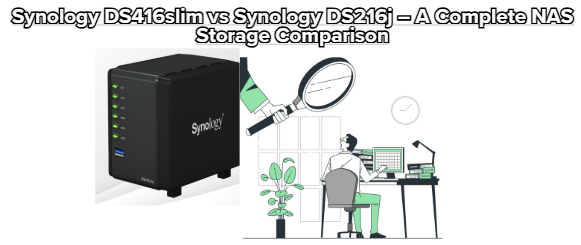
If you’re choosing between two popular Synology NAS models—the Synology DS416slim and the Synology DS216j—this detailed comparison will help you understand their strengths, differences, and which one suits your needs best. Both devices run Synology DiskStation Manager (DSM) for powerful, intuitive storage, backup, and media capabilities, but they’re designed for different storage goals and usage scenarios.
Compact 4-bay NAS that uses 2.5″ SATA HDDs/SSDs
Maximum internal raw capacity originally uses four 2TB drives (total ~8TB), but larger modern drives also work (see compatibility lists).
Ultra-small footprint makes it perfect for desks, offices, small rooms, or mobile usage.
2-bay NAS supporting larger 3.5″ or 2.5″ drives
Maximum raw capacity up to 16TB (two 8TB drives).
Slightly bigger, more traditional NAS footprint is well-suited for home or small office setups.
Verdict: If storage capacity and flexibility matter more, the 4-bay DS416slim gives more room to expand. If you want simple 2-bay storage with standard drive sizes, the DS216j is a solid choice.
| Feature | DS416slim | DS216j |
|---|---|---|
| CPU | Marvell Armada 385 dual-core 1.0 GHz | Marvell Armada 385 dual-core 1.0 GHz |
| RAM | 512 MB DDR3 | 512 MB DDR3 |
| Encryption | Yes | Yes with hardware acceleration |
| LAN | 2 × Gigabit Ethernet (Link Aggregation) | 1 × Gigabit Ethernet |
| USB Ports | 2 × USB 3.0 | 2 × USB 3.0 |
| Optimized for | Compact multi-disk setups | Efficient home file & media storage |
Both systems offer dual-core CPUs and 512 MB of RAM, so day-to-day DSM performance, app support, and basic file serving are similar. However, the DS416slim’s dual LAN ports allow Link Aggregation/Failover, which can boost throughput and reliability on supported networks—an advantage for heavier office or backup workloads.
DS416slim: Because it has 4 drive bays, it supports more robust RAID configurations such as RAID 5, RAID 6, or RAID 10, besides Basic, JBOD, and SHR. This provides stronger fault tolerance and data safety as your data library grows.
DS216j: Supports simpler RAID levels like RAID 1, RAID 0, JBOD, and SHR (Synology Hybrid RAID)—suitable for personal backups and media storage where high redundancy is less critical.
Verdict: For maximum data protection, the DS416slim has a clear edge.
✔ Users needing larger total storage in a small space
✔ Small teams or households wanting redundancy and flexibility
✔ Users who may expand storage over time
✔ On-site backup server with higher fault tolerance
✔ Home users or families managing photos, videos, and backups
✔ Small offices needing simple, reliable shared storage
✔ Users who prioritize ease of use and efficiency over maximum scalability
✔ Media streaming and file sharing without heavy enterprise demands
Both the DS416slim and DS216j run Synology DiskStation Manager (DSM)—a highly praised NAS operating system featuring:
Intuitive web interface
Centralized backups (PC, Mac, mobile)
File sync and versioning
Media streaming and DLNA support
Remote access and private cloud features
App ecosystem (Synology Drive, Moments, Audio Station, Video Station, etc.)
DSM makes both NAS models perform far beyond simple file storage, from media servers to collaborative workspaces.
Both units are designed to operate 24/7 with:
Low power consumption
Quiet cooling systems
Efficient performance tailored for home and small business use
These features make them ideal for always-on environments where noise and energy use matter.
| Feature | DS416slim | DS216j |
|---|---|---|
| Drive Bays | 4 (more capacity) | 2 (standard) |
| Performance Potential | Higher (more flexible) | Good for everyday use |
| Redundancy | Best option | Basic redundancy |
| Compact Design | Ultra-compact | Standard desktop sized |
| Best For | Power users & small offices | Home users & casual backup |
Choose DS416slim if you want greater storage flexibility, stronger redundancy, and more advanced networking.
Choose DS216j if you want simple, efficient, and reliable NAS for home backups and media streaming.
If your priority is expanding storage and future-proofing, the DS416slim is worth the investment. If your needs are light to moderate with simplicity and ease of use, the DS216j still delivers strong value with a simpler setup.