
In today’s fast-moving digital landscape, businesses need more than just office software—they need a complete ecosystem that supports communication, collaboration, mobility, security, and continuous productivity.
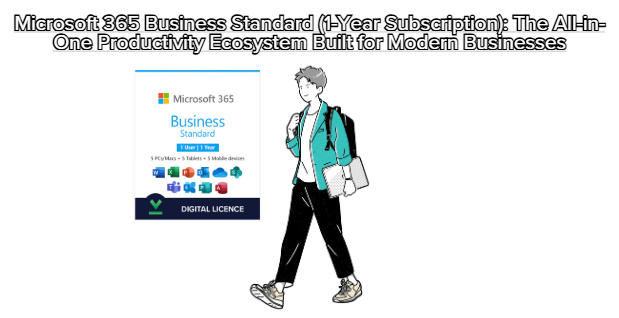
That’s exactly what Microsoft 365 Business Standard (1 Year) delivers.
More than just Word, Excel, and PowerPoint, this annual subscription provides a cloud-powered environment tailored for small and medium-sized businesses that require flexibility, scalability, and modern working tools.
This article breaks down the product in detail, explaining what it offers, why it matters, and how it compares to traditional Office perpetual licenses.
Microsoft 365 Business Standard is a cloud-based productivity suite that includes:
Full desktop versions of Office apps
(Word, Excel, PowerPoint, Outlook, OneNote, Publisher, Access)
Cloud services including:
Exchange Online (Business Email)
OneDrive for Business (1 TB cloud storage)
Microsoft Teams
SharePoint Online
Premium security and productivity features
Continuous updates with the latest features
Unlike perpetual Office versions (like Office 2019 or Office 2021), Microsoft 365 is always up to date, ensuring your business never falls behind.
Install Office apps on:
Windows PCs
macOS
iOS devices
Android devices
One license covers multiple devices per user (up to 5 PCs, 5 tablets, and 5 phones).
Hosted through Exchange, Microsoft 365 provides:
Custom domain email (name@yourcompany.com
)
50 GB mailbox
Shared calendars & contacts
Advanced anti-malware filtering
This instantly elevates your business professionalism and communication efficiency.
Teams enables:
Online meetings and video calls
Secure chat communication
File sharing
Team channels for projects
Collaboration on documents in real time
This replaces multiple external apps like Zoom, Slack, or Google Chat—saving costs.
Each user gets 1000 GB for:
Secure file storage
Automatic backup
Cross-device file syncing
Easy sharing with team members or clients
No need to purchase third-party cloud services like Dropbox or Google Drive.
Create:
Company intranet pages
File-sharing hubs
Document approval workflows
Perfect for businesses that need structured data management.
Built-in protections include:
MFA (Multi-Factor Authentication)
Encrypted cloud data
Ransomware & phishing protection
Mobile device management through Intune (basic level)
This helps protect your business from modern cyber threats without extra cost.
This subscription is ideal for:
Small to medium-sized businesses
Teams working remotely or hybrid
Companies needing business-grade email
Organizations requiring collaboration tools
Users who want Office apps on multiple devices
Businesses that rely heavily on cloud storage
If your workflow involves teamwork, frequent online communication, or remote access, this plan is the perfect solution.
New features are added automatically—no need to buy new versions of Office.
Users can access files and apps from anywhere, on any device.
Professional email hosting adds credibility and efficiency.
Multiple users can work on the same Word or Excel document at the same time.
Perfect for companies with large amounts of data.
Annual subscription is more affordable than buying multiple perpetual licenses.
Unlike a lifetime Office license, this product must be renewed every year.
Some features rely on cloud connectivity.
Businesses need to manage user accounts via the admin portal.
Microsoft 365 Business Standard provides far more value than perpetual Office versions.
It doesn’t just give you Office apps—it gives your entire business a productivity infrastructure.
If your company needs:
Professional communication
Cloud collaboration
Multi-device access
Secure storage
Team management tools
Then this is absolutely worth it.
Especially for businesses with growing teams, the scalability is unmatched.
Microsoft 365 Business Standard (1 Year) is not just a software license—
it is a complete digital workspace for modern business operations.
It helps your company:
Communicate better
Collaborate faster
Operate more efficiently
Stay secure
Scale without stress
For companies that want to future-proof their workflow, this subscription is one of the best investments available today.